Live Pipeline Control & Single-Process Architecture
Every Job, Visible. Every Deploy, Simpler.
Last week we shipped team-scoped authorization and intelligent @mentions — Cinematic Canvas became a secure, connected workspace for collaborative world-building.
This week tackles two blind spots that have haunted the platform since day one: pipeline opacity and deployment complexity. Rendering jobs used to vanish into the background. Creators had no way to know what was running, what was stuck, or how to stop it. Meanwhile, deploying the system required orchestrating three separate microservices — a friction tax paid on every release, every local test, every debug session.
Both problems are now solved. A real-time job control plane puts every generation task directly in front of the creator. A new event bus abstraction collapses server, pipeline, and worker into a single process — without sacrificing the distributed architecture in production.
 Pulling the pipeline out of the shadows — every generation job is now observable, trackable, and cancellable from the canvas.
What is Cinematic Canvas?
Cinematic Canvas is the generative AI workspace for storytelling. It treats story elements — characters, locations, scenes, and style references — as structured primitives, giving creators total control over building cinematic worlds with strict visual and narrative continuity.
Technology Stack: React (Vite) · Zustand · Astro · @xyflow/react · Node.js · LangGraph · PostgreSQL · Google Cloud Pub/Sub · IndexedDB
What’s New
1. Real-Time Job Control
Every generation pipeline job now streams directly to the creator — no more guessing, no more blind waits.
- Client-Side Job Store via SSE: A dedicated Zustand store subscribes to Server-Sent Events, pushing every job state transition to the UI the instant it occurs. Creators see jobs appear, progress, complete, or fail in real-time.
- Per-User Pub/Sub Filtering: Job events carry
userIdat the architecture level. Google Cloud Pub/Sub filters messages per SSE session, guaranteeing strict data isolation — you only see your own work. - Cancel from the Toolbar: A new Job Visibility Dropdown in the canvas toolbar lets creators inspect active jobs, monitor progress percentages, and aggressively cancel pending tasks with one click.
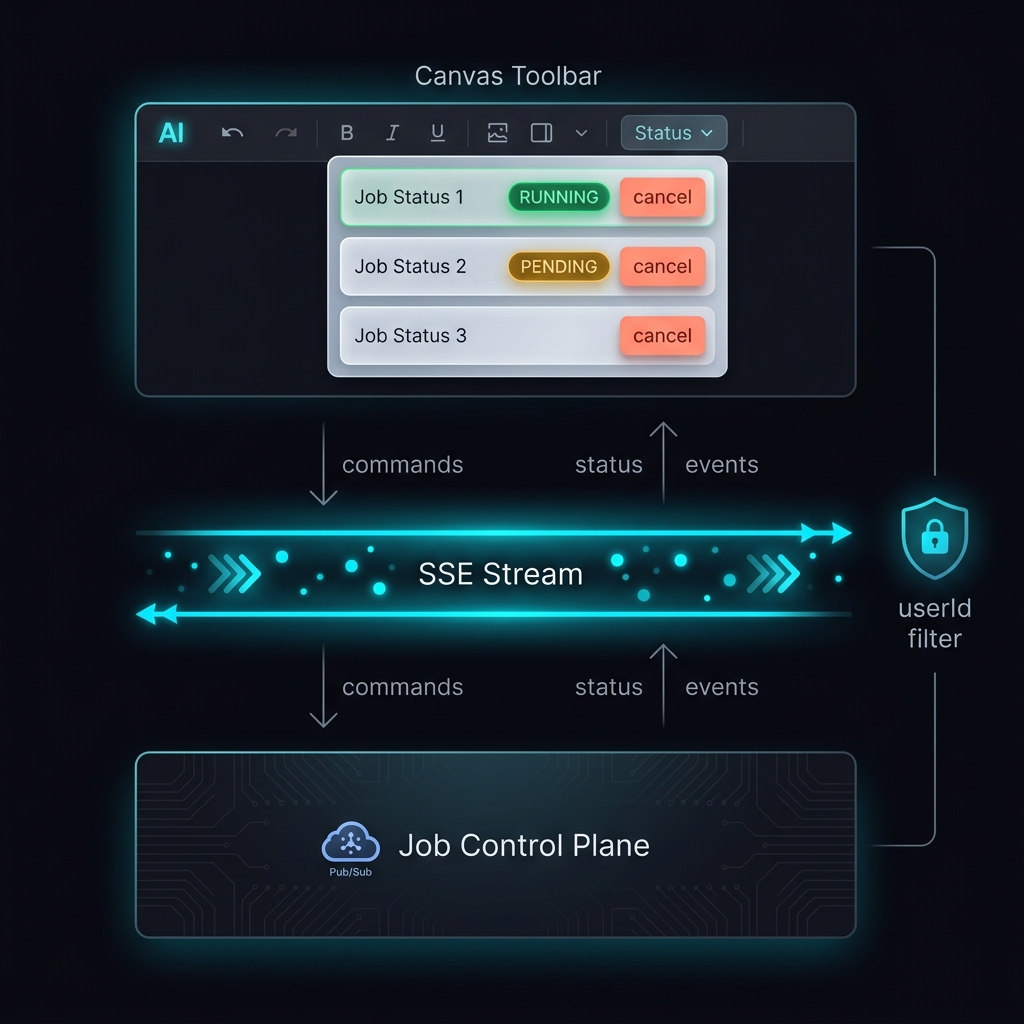 Client commands and status streams flow simultaneously through the job control plane. Per-user attribute filtering guarantees data isolation while maintaining real-time precision.
The Result: Generation is no longer a black box. Creators sit in the director’s chair — watching every render, killing wasted cycles, and staying in control of their compute budget.
2. Event Bus Abstraction & Monolith Mode
A unified EventBus interface now sits between domain logic and Google Cloud Pub/Sub, decoupling the entire system from its messaging infrastructure in a single abstraction.
- Infrastructure-Agnostic Domains: Server, pipeline, and worker modules publish events through
IEventBuswithout knowing whether messages route through Pub/Sub or local memory. The domain code doesn’t change — only the injected implementation does. - Single-Process Local Development: Swap
PubSubEventBusforInMemoryEventBusand the full microservices suite boots in one Node process. Local dev goes from “docker-compose up three containers” to “npm run dev.” - Monolith Dockerfile: A multi-stage
Dockerfile.monolithpackages the entire stack for single-process deployment, paired with build/run scripts and environment-based secret injection.
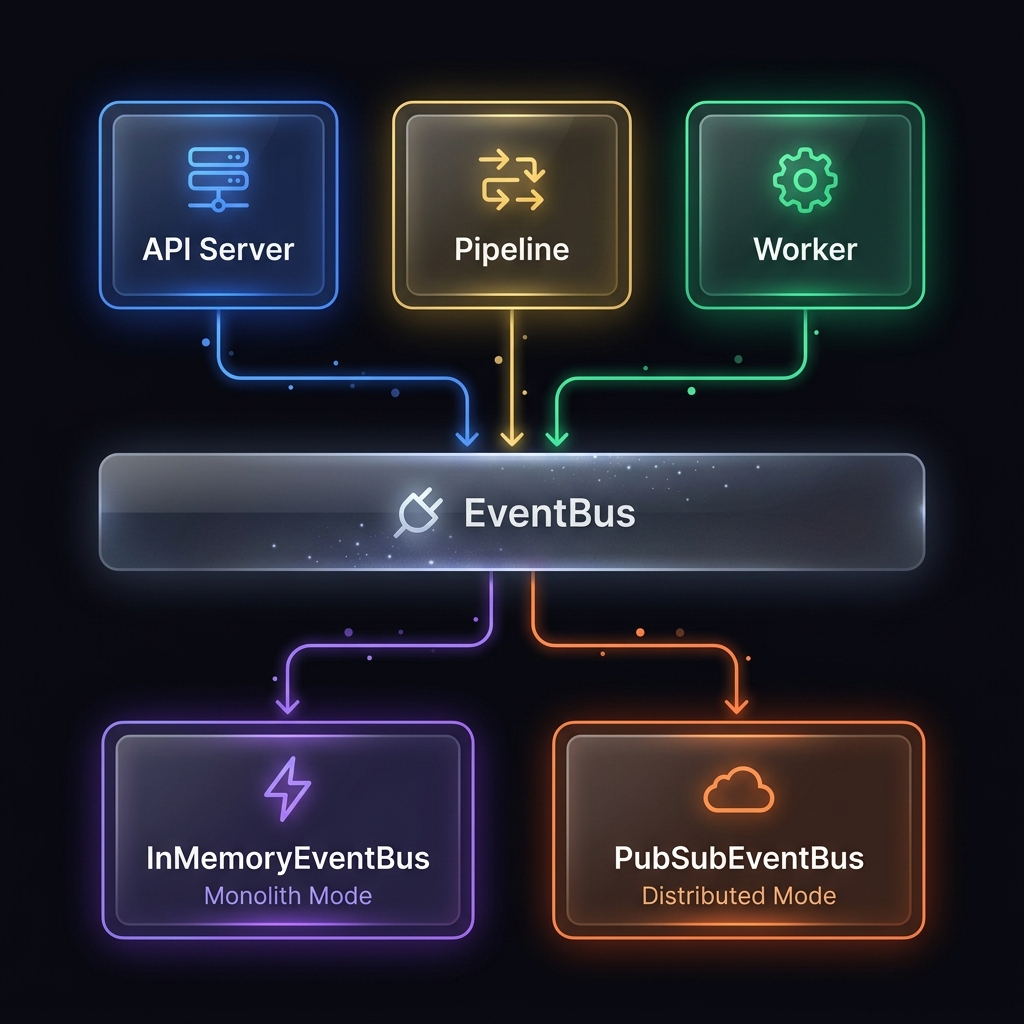 The IEventBus adapter pattern: domain services publish through a stable interface. The runtime decides whether events travel through memory or distributed Pub/Sub — zero code changes required.
The Result: Developers and self-hosters deploy the full system in seconds instead of minutes. Infrastructure leakage is eliminated from domain code, making every feature faster to build and test.
3. Bulk Asset Staging Panel
Creators can now drop a batch of images directly onto the canvas and classify, name, and place them all at once — a workflow that previously required creating entities one-by-one.
- Drag-and-Drop Batch Ingest: Drag multiple images onto the canvas and a Staging Tray materializes at the bottom of the viewport, displaying every file as a thumbnail with inline classification controls.
- Entity Type Classification: Each image is tagged as a Character, Location, Prop, or Style Reference via color-coded type pills — or bulk-assign a type to the entire batch with one click.
- Name & Place in One Pass: Entity types that require names (characters, locations, props) expose inline name inputs directly on the staging card. Hit “Place on Canvas” and every classified image becomes a fully-formed entity node on the graph.
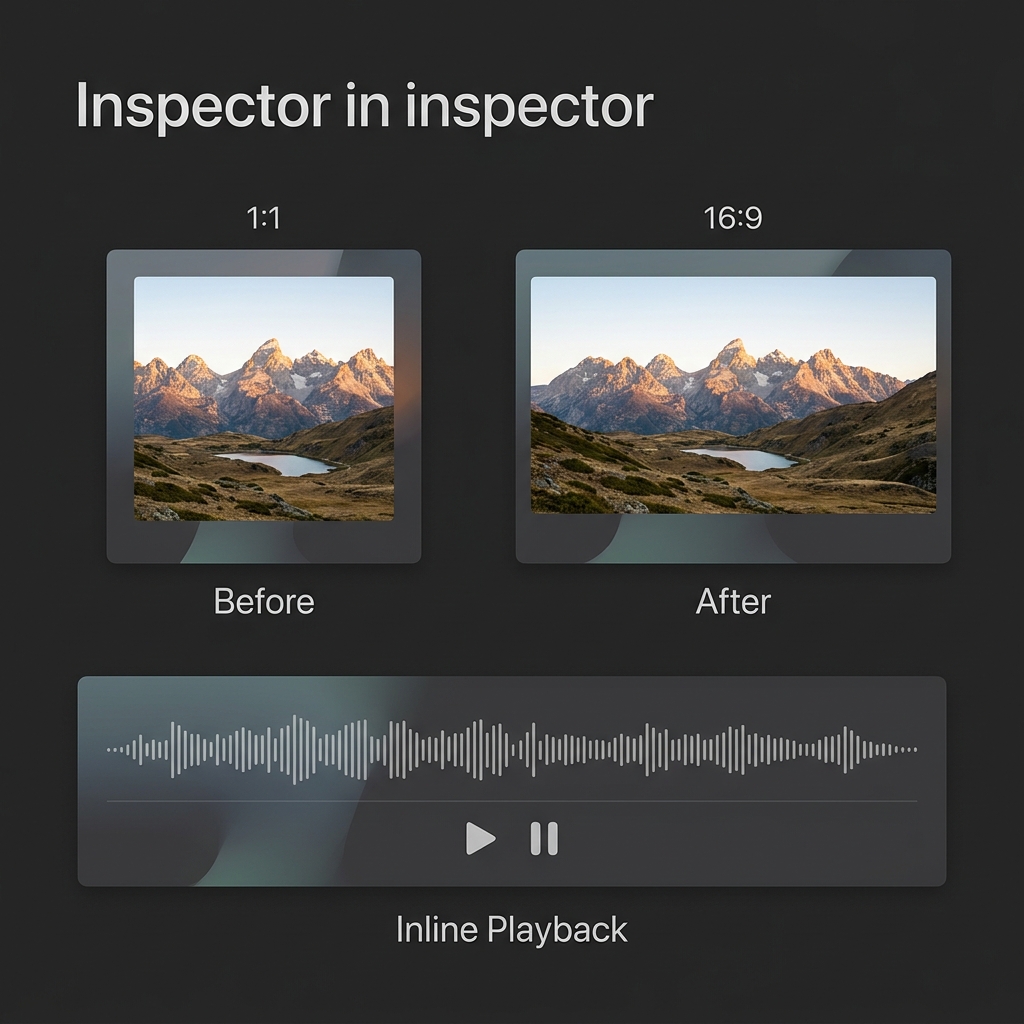 The Bulk Staging Tray: drop a folder of reference images, classify each by entity type, name them inline, and batch-place them onto the canvas graph — eliminating the one-at-a-time bottleneck.
The Result: World-building at scale. A creator with 20 character portraits and 15 location references can populate an entire project in under a minute — classified, named, and positioned on the canvas — instead of clicking through 35 individual creation dialogs.
Every update to Cinematic Canvas is measured against one question: does the workspace get out of the creator’s way? This week, three layers of friction fell. The pipeline reports its own status. The architecture deploys in one command. And bulk assets flow onto the canvas in seconds. The gap between concept and execution keeps shrinking.
What’s Shipping Next
- Narrative-Aware Video Generation: Structured context tools that preserve character arcs, location consistency, and plot threads across scene sequences.
- Agentic Editor: Multi-agent collaboration for autonomous narrative adjustments and scene continuity enforcement.
- Advanced Node Linking: Refined entity connection workflows in the spatial world-building graph.
🔗 Read the full changelog: github.com/digitalcreationsco/cinematic-canvas/blob/main/CHANGELOG.md
Thank you for building with us.
#GenerativeAI #GenerativeVideo #Architecture #RealTime #Typescript #ReactJS #Astro #Monolith